A Guide to Acceptable Barcode Color Combinations

a guide to acceptable barcode color combinations- choosing the wrong colors can lead to unreadable barcodes, causing scanning failures and operational hiccups

A Guide to Acceptable Barcode Color Combinations

Barcode colors aren’t just about design—they directly impact scan accuracy and operational efficiency. This guide explains the best and worst barcode color combinations, showing how poor contrast or reflective materials can lead to scanning errors, product rejections, and workflow delays. Learn which color pairings to use (like black on white) and avoid (like red on green), and get pro tips for testing and verifying your barcodes. With proper color choices, your barcodes stay compliant, readable, and reliable—keeping your business running smoothly.

Barcodes appear everywhere, from product packaging to inventory management systems, playing a vital role in keeping things organized and running smoothly. However, one often overlooked detail remains the color combination used in printing barcodes. Choosing the wrong colors leads to unreadable barcodes, causing scanning failures and operational hiccups.

We’ll guide you through the best color combinations for barcodes and explain why getting the colors right is essential for your business.

Why Color Matters in Barcode Printing?

Scanners read barcodes by using a light source, typically red or near-infrared light, to detect the contrast between the dark bars and the light spaces. The scanner’s ability to correctly read a barcode relies heavily on this contrast.

If the colors for the bars and spaces do not provide sufficient contrast, the scanner may fail to read the barcode accurately, leading to delays, errors, or rejected products in the supply chain.

Key Considerations for Barcode Color Combinations?

To ensure that a barcode is readable, it is important to follow certain guidelines for color combinations:

High Contrast Between Bars and Spaces

The most critical factor in is the contrast between the dark and light elements. The bars should always be significantly darker than the spaces.

  • A high contrast makes it easier for the scanner to distinguish between the bars and spaces, ensuring reliable reading.

Avoid Using Colors Close to Red for Bars: Since most barcode scanners use red light, bars printed in red, orange, yellow, or other colors close to red can appear “invisible” to the scanner.

  • This is because red light reflects off these colors, making the bars indistinguishable from the spaces.
Preferred Dark Colors for Bars

 Black is the best color for barcode bars because it provides the highest contrast against light backgrounds.

Other acceptable dark colors include:

  • dark blue,
  • dark green,
  • and dark brown,

provided they are sufficiently dark enough to create a strong contrast against the background.

Ideal Light Colors for Spaces

White is the preferred background color for barcodes, as it provides the highest level of reflectance, making it easy for scanners to read the bars.

Light colors like pale yellow or light pastels can also be used, but they should not reduce the overall contrast.

Avoid Using Background Colors That Absorb Light

Backgrounds should not be printed in dark colors or colors that absorb light, such as red or black, as these can reduce the contrast and make the barcode difficult to read.

Reflective materials or colors that match the scanning light’s wavelength are especially problematic.

Acceptable Color Combinations for Printing Barcodes

SAMPLE BARS COLOR SPACES COLOR REASON
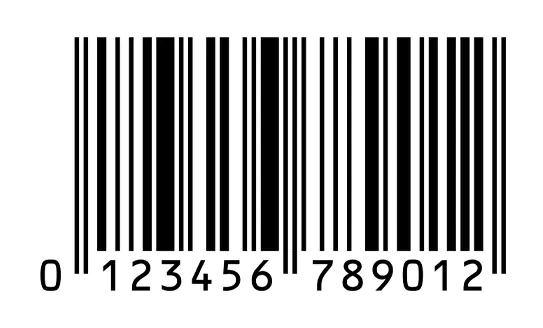
barcode-black- on white background Black White High contrast; ideal for readability and scanning.
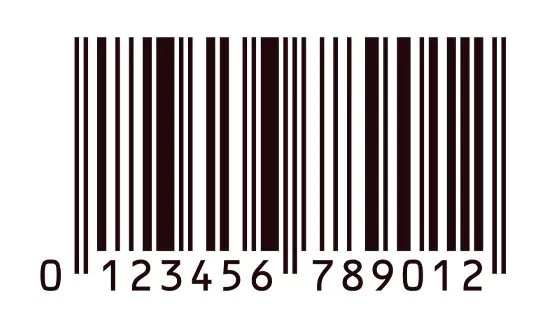
barcode-dark blue on white background Dark Blue White Provides good contrast similar to black bars.
barcode-dark brown on white background Dark Brown White Acceptable with sufficient contrast.
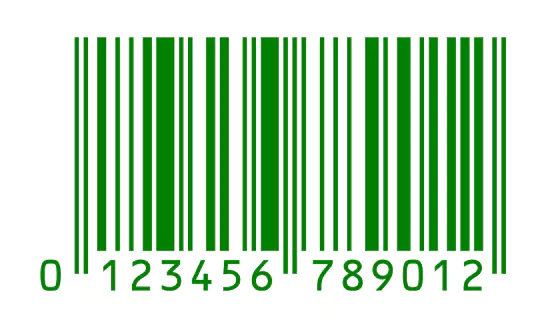
barcode-green on white background Green White Green bars on white can work if dark enough for contrast.
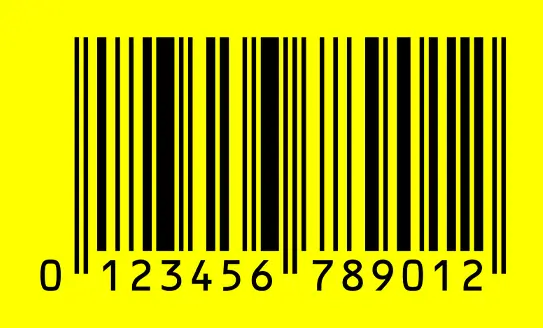
barcode-black- on yellow background Black Yellow High reflectance and adequate contrast for readability.
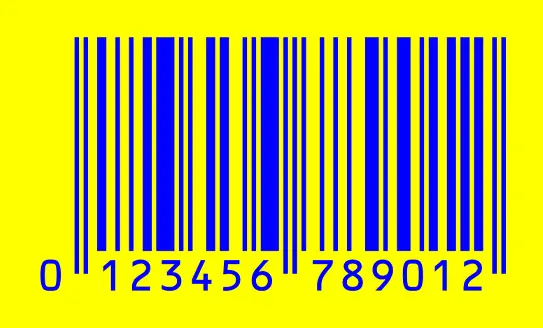
barcode-blue- on yellow background Blue Yellow Sufficient contrast with light backgrounds.

Unacceptable Color combinations for Printing Barcodes

SAMPLE BARS COLOR SPACES COLOR REASON
 barcode-red-on white background Red White Red bars reflect scanner light, making them unreadable.
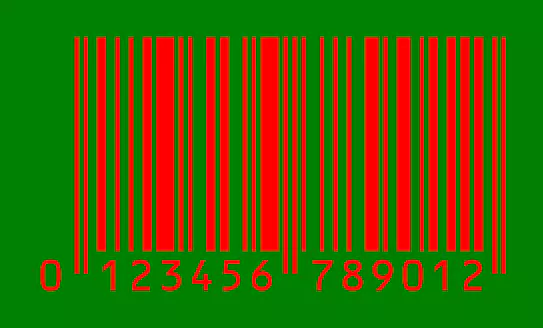
barcode-red- on green background Red Green Insufficient contrast; red is too reflective in scanner light.
barcode-black- on green background Black Green Dark colors on dark backgrounds lack sufficient contrast.
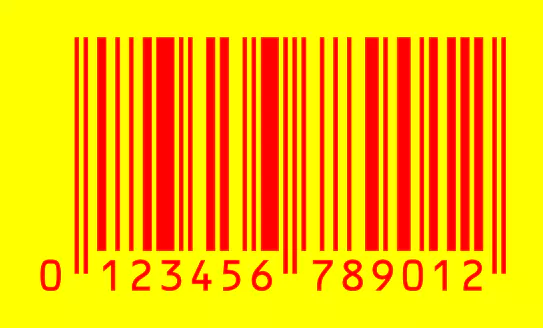
barcode-red- on yellow background Red Yellow Poor contrast, especially under red light scanning.
Light Colors Dark Colors Light colors do not absorb enough light for clear scanning.
Metallic Colors Any Background Cause specular reflectance, hindering scanner readability.

Why the Right Color Combinations Matter

Using the correct color combinations in barcode printing is crucial for several reasons:

Ensures Accurate Scanning

Correct color combinations help scanners accurately read barcodes on the first attempt, reducing delays at checkouts, in warehouses, and throughout the supply chain.

Prevents Rejections and Returns

Products with unreadable barcodes may be rejected by retailers or distributors, leading to costly returns and potential damage to business relationships.

Enhances Operational Efficiency

Scanning errors caused by poor barcode readability can slow down operations, requiring manual input and increasing labor costs. Ensuring barcodes are printed correctly helps streamline processes.

Improves Customer Satisfaction

In retail, a smooth checkout experience is crucial. Barcodes that scan easily contribute to faster transactions and a better overall customer experience.

Compliance with Industry Standards

Many industries have specific requirements for barcode printing, including acceptable color combinations. Adhering to these standards helps avoid penalties and ensures that products meet the expectations of retailers and regulatory bodies

Pro Tips for Testing Barcode Colors

Simulate Real-World Scanning

Always test barcodes with the scanners that will be used in the actual environment.

Invest in Verification Tools

Use barcode verification tools to ensure that your barcodes meet industry standards for contrast and readability.

Stay Up-to-Date with Standards

Industry standards can change, so regularly review guidelines to ensure your barcodes comply

Common Pitfalls to Avoid in Barcode Printing

Using Non-Standard Colors While it might seem appealing to use brand colors or creative designs, non-standard colors can reduce readability. Always prioritize functionality over aesthetics when it comes to barcodes.

Glossy or Reflective MaterialsAvoid printing barcodes on shiny or reflective materials, as these can cause light to reflect unevenly, leading to scanning difficulties.

Inconsistent PrintingEnsure that barcodes are printed consistently across all products. Variations in color density or printing quality can affect readability.

Getting the colors right for barcode printing isn’t just about aesthetics – it’s about making sure your barcodes work correctly every time. By sticking to the best color combinations and avoiding common pitfalls, you can ensure your barcodes are always readable and scannable, keeping your operations smooth and efficient.

For expert guidance on barcode printing and verification, Intermax is here to help. Contact us today to ensure your barcodes meet the highest standards and avoid costly scanning errors.

Upgrade your Barcode Verifier Today!

Stay GS1 Compliant, visit barcodeverification.com.au now.

Previous Post
Explore Different Types of Barcodes and Their Best Uses
Next Post
Overcome Barcode Verification Challenges Effectively