

Scope 3 & Linerless Printing: How ZeroLine Cuts Label Waste
Scope 3 & Linerless Printing: How ZeroLine Cuts Label WasteOverview: As mandatory climate reporting laws…
Read More
Overview: GS1 has updated its retail packaging standards to permit the vertical height of EAN/UPC barcodes to be truncated by up to 60% of the minimum symbol height for items scanned at retail Point of Sale (POS).
Fitting a retail barcode onto small packaging— cosmetics, blister packs, or snack bars—has always been a headache for packaging designers and brand owners. For years, the golden rule of retail compliance was straightforward: never shorten the height of your barcode bars, or you risk checkout scan failures and costly retailer rejection fees.
Now, there is some welcome breathing room for product packaging. GS1 Australia has officially updated its barcode height standards for products scanned at the retail point of sale (POS).
Under the updated rules, EAN/UPC retail barcodes can now be truncated (reduced in height) by up to 60% of the standard minimum height when packaging space is genuinely tight.
Here is why this change is happening now, what it means for your packaging line, and how to stay compliant.
The driving force behind this update comes down to two factors: commercial pressure for smaller, more sustainable packaging, and a massive technological shift at the checkout counter.
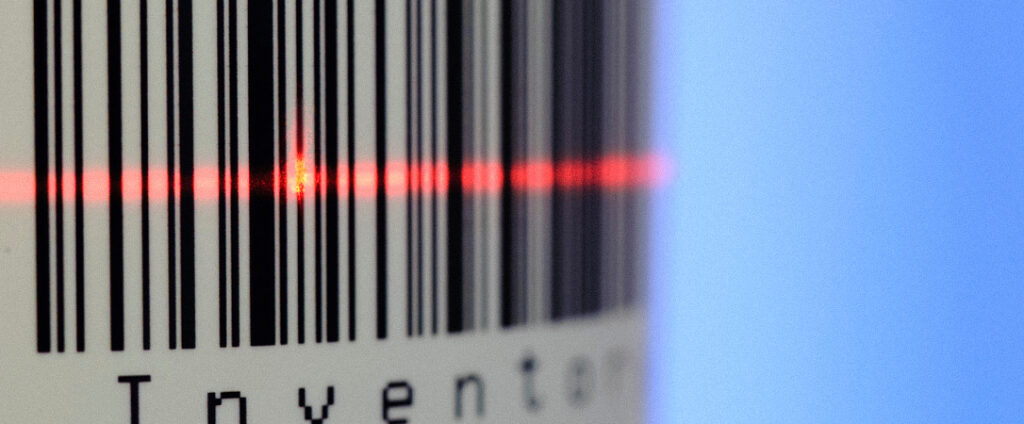
Because modern optical scanners read truncated barcodes far more reliably than legacy lasers ever could, GS1 has relaxed the rules without sacrificing checkout speed.
Truncation simply means cutting down the vertical height of a barcode’s bars while leaving the width and the empty margins (quiet zones) intact.
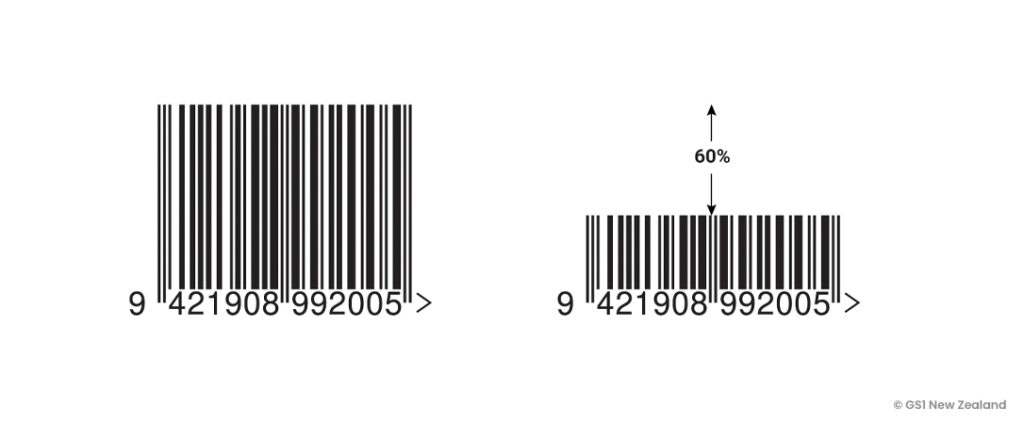
While full height is still the ideal standard for fast, effortless scanning, GS1 now allows you to trim up to 60% off that vertical height (leaving at least 40% of the minimum bar height) if your label or carton space simply won’t fit the full code.
Before shrinking your artwork, keep these key GS1 rules in mind:
As we discussed in our guide on understanding truncation and how to prevent barcode errors, shrinking a barcode still reduces the physical scanning target.
To make sure your updated packaging glides through retail checkouts:

Discover how modern data tech is rewriting the marketing playbook. This 28-page magalog reveals strategies pros keep secret.
Free 28 Page Digital Magazine